
Building With Claude Code, the Spec-First Way
Akash M

This is the story of how I built a feature — a data write-back integration — using Claude, and what I would tell my team members to do differently.
This is written as a practical experience, not as a formal process document.
What “Spec-Driven” Actually Means
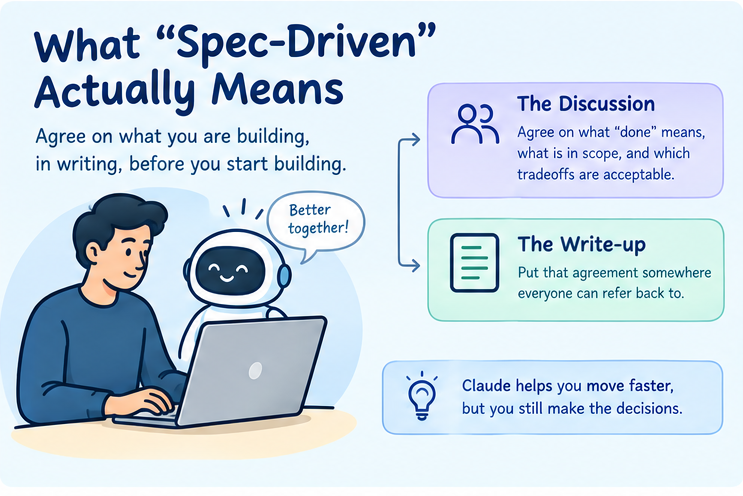
Forget the fancy name. It simply means this:
Agree on what you are building, in writing, before you start building it.
Two parts matter most:
- The discussion You and your team, along with your AI helper, work out what “done” means, what is in scope, and which shortcuts or tradeoffs are acceptable.
- The write-up Put that agreement somewhere everyone can refer back to instead of leaving it only in your head or in a chat that eventually gets buried.
Everything that comes after that — the plan, code, and tests — depends on getting that initial discussion right.
Claude does not change this. It simply does more of the typing for you. You still have to make decisions, catch it when it starts going in the wrong direction, and decide when something is actually ready rather than just looking ready.
Spec-driven development also does not require AI. The same process can be followed without Claude. The main difference is that an AI helper can make the discussion, planning, implementation, and test-writing faster.
What Should Actually Be in the Spec?
A spec does not need to be a huge document.
It should contain enough information that another person — or an AI helper — can understand what has been agreed on without having to guess.
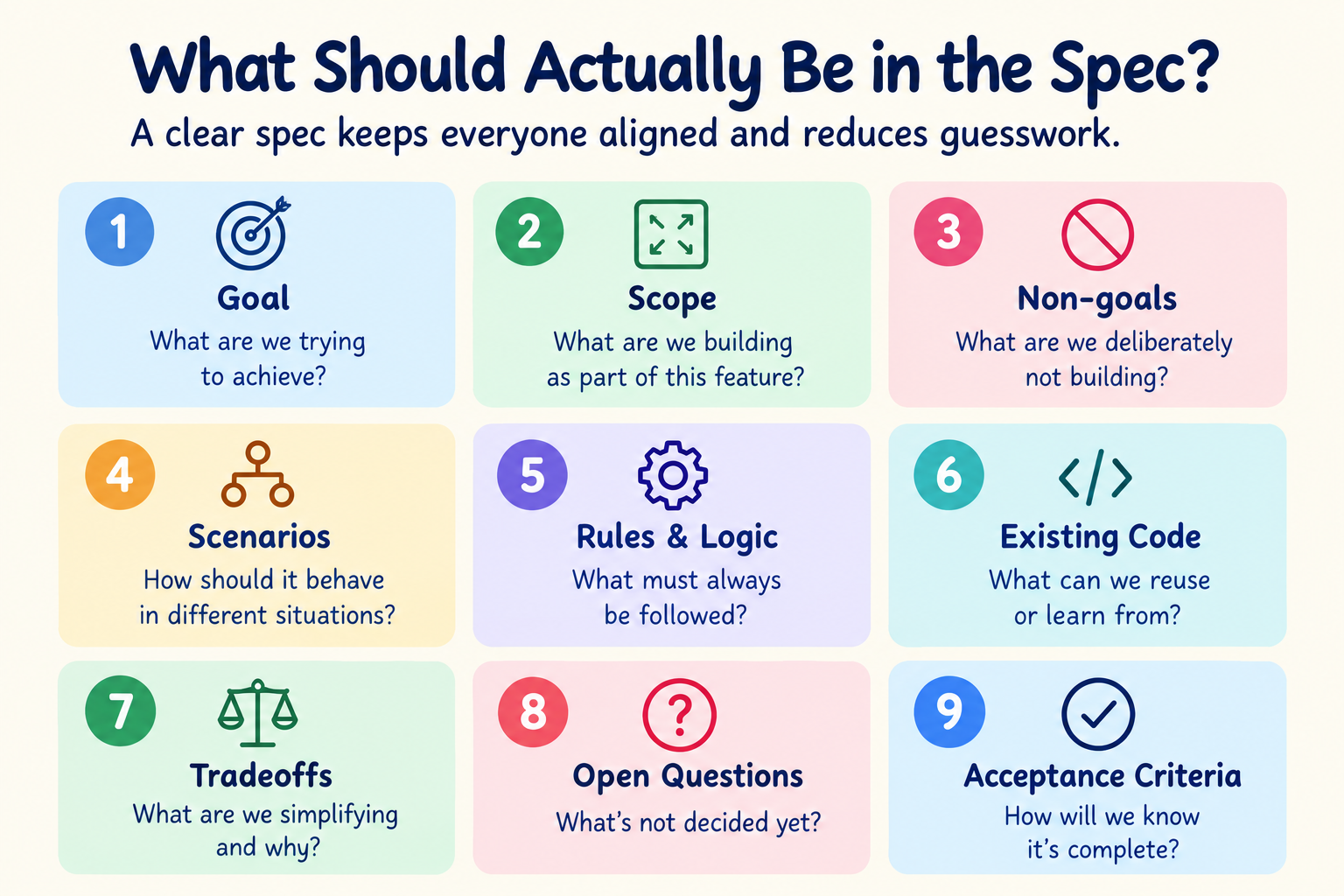
At a minimum, I would include:
1.Goal
What are we trying to achieve?
Explain the problem we are solving and the expected result.
2. Scope
What are we building as part of this feature? Be specific enough that it is clear what work belongs to the feature.
3. Non-goals
What are we deliberately not building?
This is important because otherwise the implementation can slowly grow while the feature is being developed. For example, something may be useful in the future but intentionally left out of V1.
4. Scenarios
Describe how the feature should behave in the situations that matter.
This is especially useful for cases that are not obvious from the main requirement.
For example:
- What happens when the operation succeeds?
- What happens when it fails?
- What happens when the user tries it twice?
- What happens when data is missing?
- What happens when an existing record is already present?
5. Rules and Business Logic
Write down rules that must always be followed.
For example:
- When X happens, do Y.
- If the value is unavailable, use Z.
- Do not allow A when B has already happened.
This gives the implementation something concrete to follow.
6. Existing Code or Precedent
If something similar already exists in the codebase, point to it.
Do not make the agent search for something you already know is relevant.
The existing implementation can help answer questions such as:
- How should this normally be structured?
- Which helper should be reused?
- How are similar errors handled?
- How is similar data stored?
Using existing code as a reference also reduces unnecessary new code.
7. Tradeoffs
Not every possible improvement needs to be built in V1.
If we deliberately choose a simpler solution, document that decision.
For example:
For V1, we will use the existing logging mechanism instead of building a separate failure-notification system.
The important part is that the simpler solution is a conscious decision, not something the developer or AI guessed. 8. Open Questions
If something has not been decided yet, make that visible.
Do not let an unresolved question quietly turn into an implementation decision.
9. Acceptance Criteria
Define how we will know that the feature is complete.
These should describe observable behavior, not just implementation tasks.
For example:
- The write-back happens when the specified event occurs.
- Existing data is not overwritten incorrectly.
- The failure case is handled as agreed.
- The expected data can be verified after the operation.
The spec should describe the result we expect, while the implementation plan can describe how we intend to get there.
What I Actually Did, Step by Step
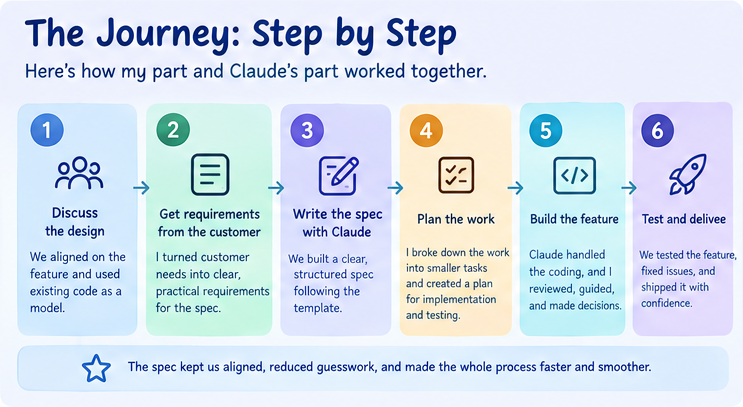
Here is how my part and Claude’s part worked together.
1. We Discussed the Design as a Team First
Before anything was written down, we discussed how the feature should work.
During that discussion, we realized something similar already existed in the codebase. We used that existing implementation as a model instead of starting from a blank page.
That saved a lot of guessing later.
2. The Requirements Came From the Customer
My job was to take what the customer asked for and work through the unclear parts using real scenarios.
For example:
“What happens if this person cancels and then re-registers on the same day?”
These questions helped turn a general requirement into something we could actually build and test.
When I gave Claude something that was still unclear, it pushed back and asked questions instead of guessing. That back-and-forth helped keep the next steps clean.
3. We Made Decisions Before Asking the AI to Build
There were a few times when Claude proposed something more built-out than the task actually needed. A more elaborate failure-notification setup was one example.
Each time, we chose the simpler solution and accepted the tradeoff — slightly less coverage in exchange for significantly less work — instead of automatically building the more complicated version.
We also documented why we made the decision so that the reasoning would not have to be explained again later.
This is an important part of the process:
The spec should capture decisions, not just requirements.
Otherwise, the same questions may come up again during implementation or when another developer works on the feature later.
4. Only After Agreeing on the Approach Did We Write the Spec
The spec was not a first draft that I was simply reacting to. It was our agreed decision written down.
This made the spec useful as a source of truth for the rest of the work.
5. The Implementation Plan Became Easier to Review
Since the plan was based directly on the spec, it was simply our agreed approach broken down into implementation steps.
This also made it easier to notice when the implementation plan was starting to go outside the agreed scope.
6. I Reviewed the Actual Code Changes, Not Just the Summaries
This is where I caught one of the clearest mistakes.
Claude wanted to create a brand-new helper function for something that could already be handled by existing code. I stopped and asked why we could not reuse what already existed.
An AI helper will sometimes reach for something new when something simpler already exists. You only catch that by reading the actual changes, not by reading the summary.
7. Declaring the Feature “Ready for Testing” Was a Manual Decision
I explicitly said that the feature was ready for testing.
That decision started the cleanup and review process. None of that happened automatically just because the code looked finished.
This is worth making an explicit checkpoint in the process:
Do not treat “the code looks finished” as “the feature is ready for the next phase.”
Someone should deliberately make that decision.
8. I Asked Claude to Generate Test Cases and Then Separately Asked It to Verify Them Against the Actual Code
These are two different steps.
Treating them as one is how bugs can slip through.
The process was:
Generate → Check against the actual implementation
The test cases should describe what the code actually does and what the spec says it should do.
9. Build With Future Flexibility in Mind
Not everything can be built in V1.
Some features may be pushed to a later version because of time constraints, while other requirements may only become clear after the feature is already in use.
For this feature, I regularly reminded the agent to keep the V1 implementation simple and flexible rather than over-engineering it.
The goal is:
Build what is needed now, but keep the design open enough to evolve later.
This does not mean adding extra abstraction “just in case.” It means avoiding decisions that unnecessarily make future changes difficult.
A Repeatable Spec-First Workflow
The process can be kept simple:
Customer / Business Requirement
↓
Team Discussion
↓
Clarify Scenarios
↓
Make Design Decisions
↓
Write Spec
↓
Review / Agree on Spec
↓
Create Implementation Plan
↓
Implement With AI
↓
Review Actual Code Changes
↓
Manual Ready Check
↓
Generate Test Cases
↓
Verify Tests Against Actual Code
↓
Test
↓
Final Review
The important part is that the arrows are not automatic.
At each stage, someone should be able to say:
“This is understood and agreed. Move to the next step.”
What to Prepare, Regardless of the Feature
These are not specific to this project. They are things I would prepare before starting the next feature, whether I am working with an AI agent or doing the work myself.
- Use a standardized spec template. Every feature should follow the same basic structure instead of being organized differently each time.
- Point to an existing precedent in the codebase. If something similar already exists, tell the agent about it upfront. Do not make it search for something you already know is relevant.
- State non-goals explicitly. What you are not building matters just as much as what you are building.
- Define acceptable tradeoffs early. Be clear about where something being slower, simpler, or less complete is acceptable for now. Otherwise, the agent has to guess your priorities — and it will sometimes guess wrong.
- Pick one document as the source of truth for each feature. This prevents updates from being split across multiple documents that can eventually disagree with each other.
- Write lessons down when you learn them. Do not wait until the project is finished. Every correction from this project — such as reusing existing logic instead of rebuilding it, or verifying generated tests — is much less useful if it only exists in your memory or in one conversation.
Habits to Walk Away With
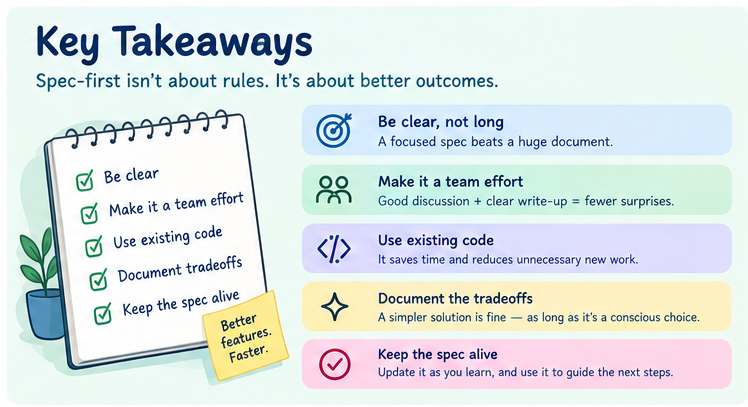
Each of these came from something that actually happened during the project.
1. “Generated” and “Checked” Are Two Different Things
A test file can look careful and complete and still contain real mistakes once someone traces it against the actual code.
Never let “written carefully” stand in for “verified.”
Do both as separate steps:
Generate → Check against the actual implementation
2. When Your AI Helper Overcomplicates Something, Say So Immediately
Creating a brand-new helper instead of using an existing one is easy to fix in the moment and annoying to untangle later.
Read the actual change. If something looks more complicated than it needs to be, question it immediately.
Do this consistently, not only when the change is obviously large.
3. Make “Ready for the Next Phase” an Explicit, Manual Checkpoint
Cleanup, review, and testing only started because someone deliberately said:
“This is ready now.”
Make this an actual step in the implementation plan — something that has to be deliberately checked off rather than something that is assumed once the code looks finished.
4. Watch for Inconsistency, Not Just Duplication
Sometimes the same rule is calculated in two different ways in two different places, and the two implementations quietly disagree on certain cases.
This can also happen when an agent looks at existing code for a pattern to follow, while the codebase already contains two different versions of that pattern. The agent may copy one without noticing the other.
When you find two versions of something that should really represent one rule, flag it.
Do not wait for it to cause a bug first.
5. Check What a Default Value Will Be Used For
A value was defaulted to an empty string. Later, it was used in a database key comparison, where an empty string was not valid.
The fix was simple: use a default value that fits how the value will actually be used — zero in this case — instead of choosing a placeholder that only looks harmless.
Before choosing a default value, check where and how it will be used.
6. Unsaved Editor Changes Are a Real Risk
Once several files are being changed at the same time, unsaved editor changes can become a real source of problems.
For example:
- You edit a file in your editor.
- You forget to save it.
- Your AI helper then modifies that same file.
- The AI helper sees what is saved on disk, not the unsaved changes in your editor.
- Your editor and the file on disk are now different.
This can be easy to miss when several files are being changed together.
Save before handing the work over to the AI helper.
Actionable Items: Turning These Into Something an Agent Actually Follows
A habit only sticks if it lives somewhere the agent reads every time, not just in a document you wrote once.
There are two places for that:
- A skill — a specific checklist the agent loads when doing a specific kind of task.
- A CLAUDE.md rule — something the agent should always keep in mind, with no specific trigger needed.
Made Into a Skill
The empty-string-key-default mistake and the missing or mismatched GSI mistake are both AWS/DynamoDB specific. They mainly come up when touching a table, an index, or a query.
That is exactly what a skill is for — something that is loaded only when that specific kind of work is happening.
We created a “dynamodb-conventions” skill covering both of these issues, along with a general rule to keep new table and index definitions consistent with existing ones.
Made Into CLAUDE.md Rules
These are not specific to one type of task, so they should be always-on rules:
- Comment style — Do not point to a spec section or another file's line number as the explanation. Write the actual reason in one line, or skip the comment.
- Reuse before building new — Search for an existing helper before writing a new one.
- Flag inconsistency immediately — The moment two places compute the same rule differently, say so.
- Verify repo state before answering — Check the actual branch and environment before answering whether something has been done.
The idea is simple:
If a lesson matters enough to remember, put it somewhere the agent will actually see it again.
The Main Lesson
The biggest lesson from this project was not that Claude can write code quickly.
It was that a clear decision made before implementation is much easier to maintain than a decision made while the code is being written.
The AI can help with the typing, exploration, planning, implementation, and test generation.
But the important decisions still need someone to make them.
At every step, a person still had to make a decision, notice something, or say no to something.
Claude made those moments faster to reach. It did not make them optional.